UI Concepts Framework · CHAPTER 2 OF 8

UI concept foundations

Why UI Concept Cannot Be Ignored

Good UX Can Still Feel Visually Disconnected

A product may have clear workflows, improved navigation, and better Information Architecture.

​

But without a defined visual direction, the final interface can still feel inconsistent, generic, or disconnected from the company’s brand.


Good UX Can Still Feel Visually Disconnected: What should i do next ?

What should i do next ?

Good UX Can Still Feel Visually Disconnected

A product may have clear workflows, improved navigation, and better Information Architecture.

But without a defined visual direction, the final interface can still feel inconsistent, generic, or disconnected from the company’s brand.
Good UX Can Still Feel Visually Disconnected: What should i do next ?

What should i do next ?

UI Must Support UX

UI Design Brings the Solution to Life. Wireframes define the structure and workflow.

UI Must Support UX: Layout Colour Typography Icons Illustrations Hierarchy Components UI design to make that solution clear, usable, and visually engaging.

Layout

UI Must Support UX: Layout Colour Typography Icons Illustrations Hierarchy Components UI design to make that solution clear, usable, and visually engaging.

Colour

UI Must Support UX: Layout Colour Typography Icons Illustrations Hierarchy Components UI design to make that solution clear, usable, and visually engaging.

Typography

UI Must Support UX: Layout Colour Typography Icons Illustrations Hierarchy Components UI design to make that solution clear, usable, and visually engaging.

Icons

UI Must Support UX: Layout Colour Typography Icons Illustrations Hierarchy Components UI design to make that solution clear, usable, and visually engaging.

Illustrations

Hierarchy

UI Must Support UX: Layout Colour Typography Icons Illustrations Hierarchy Components UI design to make that solution clear, usable, and visually engaging.

Components

UI Must Support UX: Layout Colour Typography Icons Illustrations Hierarchy Components UI design to make that solution clear, usable, and visually engaging.

UI design to make that solution clear, usable, and visually engaging.

UI design uses:

UI Must Support UX

UI Design Brings the Solution to Life. Wireframes define the structure and workflow.

UI design uses:

UI Must Support UX: Layout Colour Typography Icons Illustrations Hierarchy Components UI design to make that solution clear, usable, and visually engaging.

Layout

UI Must Support UX: Layout Colour Typography Icons Illustrations Hierarchy Components UI design to make that solution clear, usable, and visually engaging.

Colour

UI Must Support UX: Layout Colour Typography Icons Illustrations Hierarchy Components UI design to make that solution clear, usable, and visually engaging.

Typography

UI Must Support UX: Layout Colour Typography Icons Illustrations Hierarchy Components UI design to make that solution clear, usable, and visually engaging.

Icons

UI Must Support UX: Layout Colour Typography Icons Illustrations Hierarchy Components UI design to make that solution clear, usable, and visually engaging.

Illustrations

Hierarchy

UI Must Support UX: Layout Colour Typography Icons Illustrations Hierarchy Components UI design to make that solution clear, usable, and visually engaging.

Components

UI design to make that solution clear, usable, and visually engaging.

UI Concepts Reduce Rework

UI concepts help the team validate the visual direction using a few selected screens before applying it to the entire software.

Before UI Concepts

Complex Workflows

UI Concepts Reduce Rework: Before UI Concepts Complex Workflows Repeated changes Inconsistent screens Stakeholder confusion After UI Concepts Approved direction Faster design decisions Better consistency Clear stakeholder alignment

Repeated changes

UI Concepts Reduce Rework: Before UI Concepts Complex Workflows Repeated changes Inconsistent screens Stakeholder confusion After UI Concepts Approved direction Faster design decisions Better consistency Clear stakeholder alignment

Inconsistent screens

UI Concepts Reduce Rework: Before UI Concepts Complex Workflows Repeated changes Inconsistent screens Stakeholder confusion After UI Concepts Approved direction Faster design decisions Better consistency Clear stakeholder alignment

Stakeholder confusion

After UI Concepts

UI Concepts Reduce Rework: Before UI Concepts Complex Workflows Repeated changes Inconsistent screens Stakeholder confusion After UI Concepts Approved direction Faster design decisions Better consistency Clear stakeholder alignment

Approved direction

UI Concepts Reduce Rework: Before UI Concepts Complex Workflows Repeated changes Inconsistent screens Stakeholder confusion After UI Concepts Approved direction Faster design decisions Better consistency Clear stakeholder alignment

Faster design decisions

UI Concepts Reduce Rework: Before UI Concepts Complex Workflows Repeated changes Inconsistent screens Stakeholder confusion After UI Concepts Approved direction Faster design decisions Better consistency Clear stakeholder alignment

Better consistency

UI Concepts Reduce Rework: Before UI Concepts Complex Workflows Repeated changes Inconsistent screens Stakeholder confusion After UI Concepts Approved direction Faster design decisions Better consistency Clear stakeholder alignment

Clear stakeholder alignment

UI Concepts Reduce Rework

UI concepts help the team validate the visual direction using a few selected screens before applying it to the entire software.

Before UI Concepts

After UI Concepts

Complex Workflows

UI Concepts Reduce Rework: Before UI Concepts Complex Workflows Repeated changes Inconsistent screens Stakeholder confusion After UI Concepts Approved direction Faster design decisions Better consistency Clear stakeholder alignment

Approved direction

UI Concepts Reduce Rework: Before UI Concepts Complex Workflows Repeated changes Inconsistent screens Stakeholder confusion After UI Concepts Approved direction Faster design decisions Better consistency Clear stakeholder alignment

Repeated changes

UI Concepts Reduce Rework: Before UI Concepts Complex Workflows Repeated changes Inconsistent screens Stakeholder confusion After UI Concepts Approved direction Faster design decisions Better consistency Clear stakeholder alignment

Faster design decisions

UI Concepts Reduce Rework: Before UI Concepts Complex Workflows Repeated changes Inconsistent screens Stakeholder confusion After UI Concepts Approved direction Faster design decisions Better consistency Clear stakeholder alignment

Inconsistent screens

UI Concepts Reduce Rework: Before UI Concepts Complex Workflows Repeated changes Inconsistent screens Stakeholder confusion After UI Concepts Approved direction Faster design decisions Better consistency Clear stakeholder alignment

Better consistency

UI Concepts Reduce Rework: Before UI Concepts Complex Workflows Repeated changes Inconsistent screens Stakeholder confusion After UI Concepts Approved direction Faster design decisions Better consistency Clear stakeholder alignment

Stakeholder confusion

UI Concepts Reduce Rework: Before UI Concepts Complex Workflows Repeated changes Inconsistent screens Stakeholder confusion After UI Concepts Approved direction Faster design decisions Better consistency Clear stakeholder alignment

Clear stakeholder alignment

What are UI Concepts ?

UI Concept

A UI concept is a visual exploration of how the software could look and feel.

​

It defines the visual direction before the team designs the complete product.

Illustration accompanying UI Concept

UI Concept

A UI concept is a visual exploration of how the software could look and feel.

It defines the visual direction before the team designs the complete product.
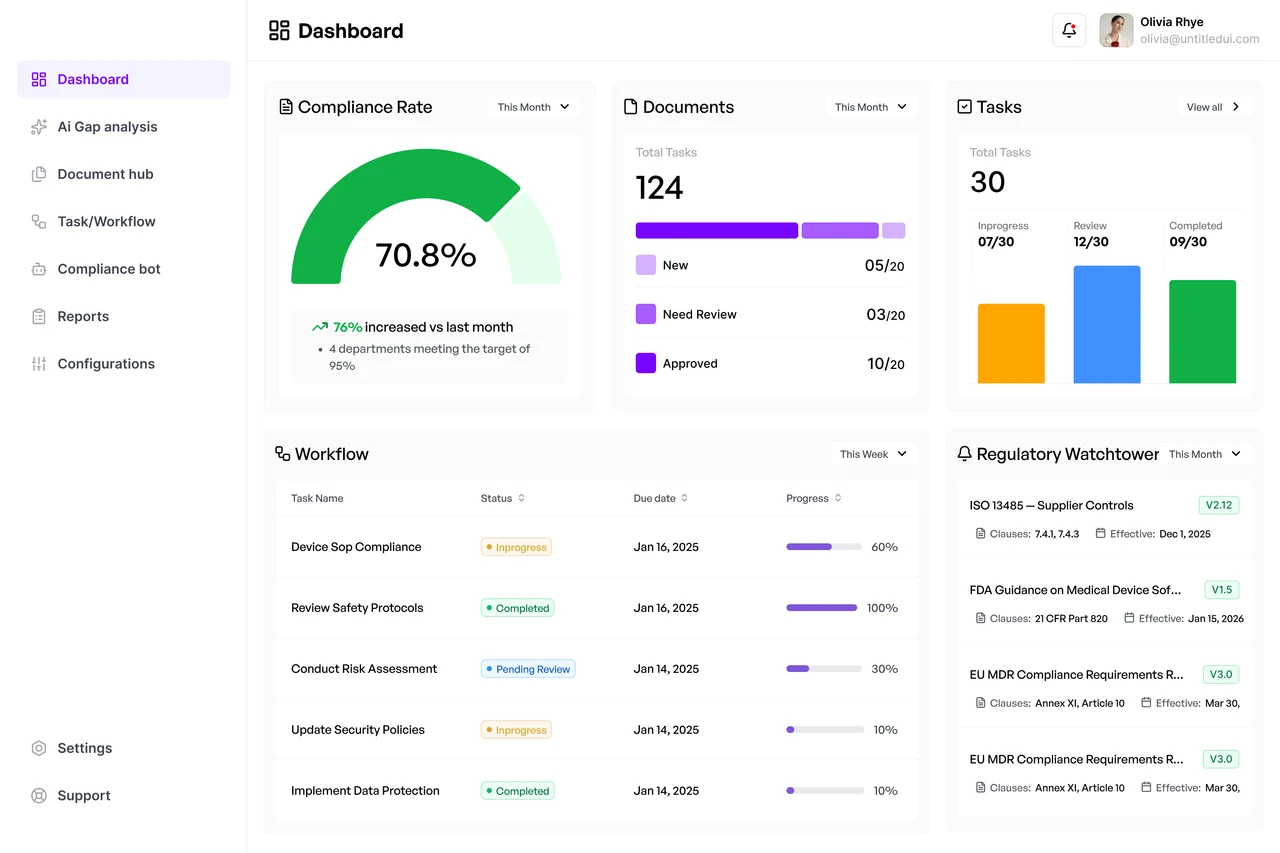
Illustration accompanying UI Concept

Explore Two Distinct Directions

Usually, two different UI concepts are created using selected key screens from the same software.

Both concepts should explore different visual possibilities.

Concept - 1

Explore Two Distinct Directions: Concept - 1 Concept - 2

Concept - 2

Explore Two Distinct Directions: Concept - 1 Concept - 2

Explore Two Distinct Directions

Usually, two different UI concepts are created using selected key screens from the same software.

Both concepts should explore different visual possibilities.

Concept - 1

Explore Two Distinct Directions: Concept - 1 Concept - 2

Concept - 2

Explore Two Distinct Directions: Concept - 1 Concept - 2
Illustration accompanying What UI Concepts Define

What UI Concepts Define

They define how the product should look, feel, and communicate.

What UI Concepts Define: Colours Typography Visual tone Information hierarchy Iconography Illustrations UI components Interaction states

Colours

What UI Concepts Define: Colours Typography Visual tone Information hierarchy Iconography Illustrations UI components Interaction states

Typography

What UI Concepts Define: Colours Typography Visual tone Information hierarchy Iconography Illustrations UI components Interaction states

Visual tone

What UI Concepts Define: Colours Typography Visual tone Information hierarchy Iconography Illustrations UI components Interaction states

Information hierarchy

What UI Concepts Define: Colours Typography Visual tone Information hierarchy Iconography Illustrations UI components Interaction states

Iconography

What UI Concepts Define: Colours Typography Visual tone Information hierarchy Iconography Illustrations UI components Interaction states

Illustrations

What UI Concepts Define: Colours Typography Visual tone Information hierarchy Iconography Illustrations UI components Interaction states

UI components

What UI Concepts Define: Colours Typography Visual tone Information hierarchy Iconography Illustrations UI components Interaction states

Interaction states

Whose Software Has

What UI Concepts Define

They define how the product should look, feel, and communicate.

Whose Software Has

What UI Concepts Define: Colours Typography Visual tone Information hierarchy Iconography Illustrations UI components Interaction states

Colours

What UI Concepts Define: Colours Typography Visual tone Information hierarchy Iconography Illustrations UI components Interaction states

Typography

What UI Concepts Define: Colours Typography Visual tone Information hierarchy Iconography Illustrations UI components Interaction states

Visual tone

What UI Concepts Define: Colours Typography Visual tone Information hierarchy Iconography Illustrations UI components Interaction states

Information hierarchy

What UI Concepts Define: Colours Typography Visual tone Information hierarchy Iconography Illustrations UI components Interaction states

Iconography

What UI Concepts Define: Colours Typography Visual tone Information hierarchy Iconography Illustrations UI components Interaction states

Illustrations

What UI Concepts Define: Colours Typography Visual tone Information hierarchy Iconography Illustrations UI components Interaction states

UI components

What UI Concepts Define: Colours Typography Visual tone Information hierarchy Iconography Illustrations UI components Interaction states

Interaction states

Illustration accompanying What UI Concepts Define

Not the Final Product

A UI Concept Is Not the Complete UI Design

Test the visual direction

Align stakeholders

Evaluate brand fit

Identify design challenges

Establish the foundation for the design system

Not the Final Product: Test the visual direction Align stakeholders Evaluate brand fit Identify design challenges Establish the foundation for the design system

It is a focused visual exploration created to:

Not the Final Product

A UI Concept Is Not the Complete UI Design

It is a focused visual exploration created to:

Test the visual direction

Align stakeholders

Evaluate brand fit

Identify design challenges

Establish the foundation for the design system

Same Brand, Different Directions

The two concepts may use different layouts, typography, visual styles, or component treatments.

​

But both should still feel like they belong to the same company.

Illustration accompanying Same Brand, Different Directions

Same Brand, Different Directions

The two concepts may use different layouts, typography, visual styles, or component treatments.

But both should still feel like they belong to the same company.

Illustration accompanying Same Brand, Different Directions
Illustration accompanying The Goal

The Goal

The Goal Is Not Just to Design Attractive Screens

The Goal: Supports the UX Represents the brand Works across different screens Scales across the software Meets user expectations Developed consistently

Supports the UX

The Goal: Supports the UX Represents the brand Works across different screens Scales across the software Meets user expectations Developed consistently

Represents the brand

The Goal: Supports the UX Represents the brand Works across different screens Scales across the software Meets user expectations Developed consistently

Works across different screens

The Goal: Supports the UX Represents the brand Works across different screens Scales across the software Meets user expectations Developed consistently

Scales across the software

The Goal: Supports the UX Represents the brand Works across different screens Scales across the software Meets user expectations Developed consistently

Meets user expectations

The Goal: Supports the UX Represents the brand Works across different screens Scales across the software Meets user expectations Developed consistently

Developed consistently

The goal is to define a visual direction that:

The Goal

The Goal Is Not Just to Design Attractive Screens

The goal is to define a visual direction that:

The Goal: Supports the UX Represents the brand Works across different screens Scales across the software Meets user expectations Developed consistently

Supports the UX

The Goal: Supports the UX Represents the brand Works across different screens Scales across the software Meets user expectations Developed consistently

Represents the brand

The Goal: Supports the UX Represents the brand Works across different screens Scales across the software Meets user expectations Developed consistently

Works across different screens

The Goal: Supports the UX Represents the brand Works across different screens Scales across the software Meets user expectations Developed consistently

Scales across the software

The Goal: Supports the UX Represents the brand Works across different screens Scales across the software Meets user expectations Developed consistently

Meets user expectations

The Goal: Supports the UX Represents the brand Works across different screens Scales across the software Meets user expectations Developed consistently

Developed consistently

Illustration accompanying The Goal

Where UI Concepts Fit in the Redesign Process

UI Concepts Connect UX Strategy With Final UI Design

Research and wireframes explain what the product should do.

​

UI concepts establish how that solution should look and feel.

Research

Information Architecture

UI Concepts Connect UX Strategy With Final UI Design: Research Information Architecture Wireframes UI Concepts Design System Final UI

Wireframes

UI Concepts Connect UX Strategy With Final UI Design: Research Information Architecture Wireframes UI Concepts Design System Final UI

UI Concepts

UI Concepts Connect UX Strategy With Final UI Design: Research Information Architecture Wireframes UI Concepts Design System Final UI

Design System

UI Concepts Connect UX Strategy With Final UI Design: Research Information Architecture Wireframes UI Concepts Design System Final UI

Final UI

UI Concepts Connect UX Strategy With Final UI Design: Research Information Architecture Wireframes UI Concepts Design System Final UI

UI Concepts Connect UX Strategy With Final UI Design

Research and wireframes explain what the product should do.

UI concepts establish how that solution should look and feel.

Research

Information Architecture

UI Concepts Connect UX Strategy With Final UI Design: Research Information Architecture Wireframes UI Concepts Design System Final UI

Wireframes

UI Concepts Connect UX Strategy With Final UI Design: Research Information Architecture Wireframes UI Concepts Design System Final UI

UI Concepts

UI Concepts Connect UX Strategy With Final UI Design: Research Information Architecture Wireframes UI Concepts Design System Final UI

Design System

UI Concepts Connect UX Strategy With Final UI Design: Research Information Architecture Wireframes UI Concepts Design System Final UI

Final UI

The Upslide UI Concept Framework

A Eight-Step Framework for Designing UI Concepts

01

Understand The Software

02

Define The Brand Persona

03

Choosing The Screens

04

Create The Moodboards

05

Define The Colour System

06

Define Typography

07

Define Illustrations

08

Presenting The UI Concepts

A Eight-Step Framework for Designing UI Concepts

01

Understand The Software

02

Define The Brand Persona

03

Choosing The Screens

04

Create The Moodboards

05

Define The Colour System

06

Define Typography

07

Define Illustrations

08

Presenting The UI Concepts

Step 1 Understand the Software

Understand Before You Design

To create a UI that supports the UX, stands out, and encourages product adoption, you first need to understand the software thoroughly.

​

Do not begin by selecting colours or visual references.

Understand Before You Design: Research IA Wireframes

Research

IA

Understand Before You Design: Research IA Wireframes

Wireframes

Understand Before You Design: Research IA Wireframes

Understand Before You Design

To create a UI that supports the UX, stands out, and encourages product adoption, you first need to understand the software thoroughly.

Do not begin by selecting colours or visual references.

Understand Before You Design: Research IA Wireframes

Research

IA

Understand Before You Design: Research IA Wireframes

Wireframes

Understand Before You Design: Research IA Wireframes

Review the Existing Context Through a UI Lens

Before entering the UI phase, review all the knowledge, research, and design decisions gathered so far.

Even when the same designer handles UX and UI this helps you see the complete product rather than individual screens in isolation.

Illustration accompanying Review the Existing Context Through a UI Lens

Review the Existing Context Through a UI Lens

Before entering the UI phase, review all the knowledge, research, and design decisions gathered so far.

Even when the same designer handles UX and UI this helps you see the complete product rather than individual screens in isolation.

Illustration accompanying Review the Existing Context Through a UI Lens

UX Decisions Must Remain Visible

The UI should strengthen the UX decisions already made in the wireframes.

​

It should not hide important actions, weaken hierarchy, or introduce visual complexity into a simplified workflow.

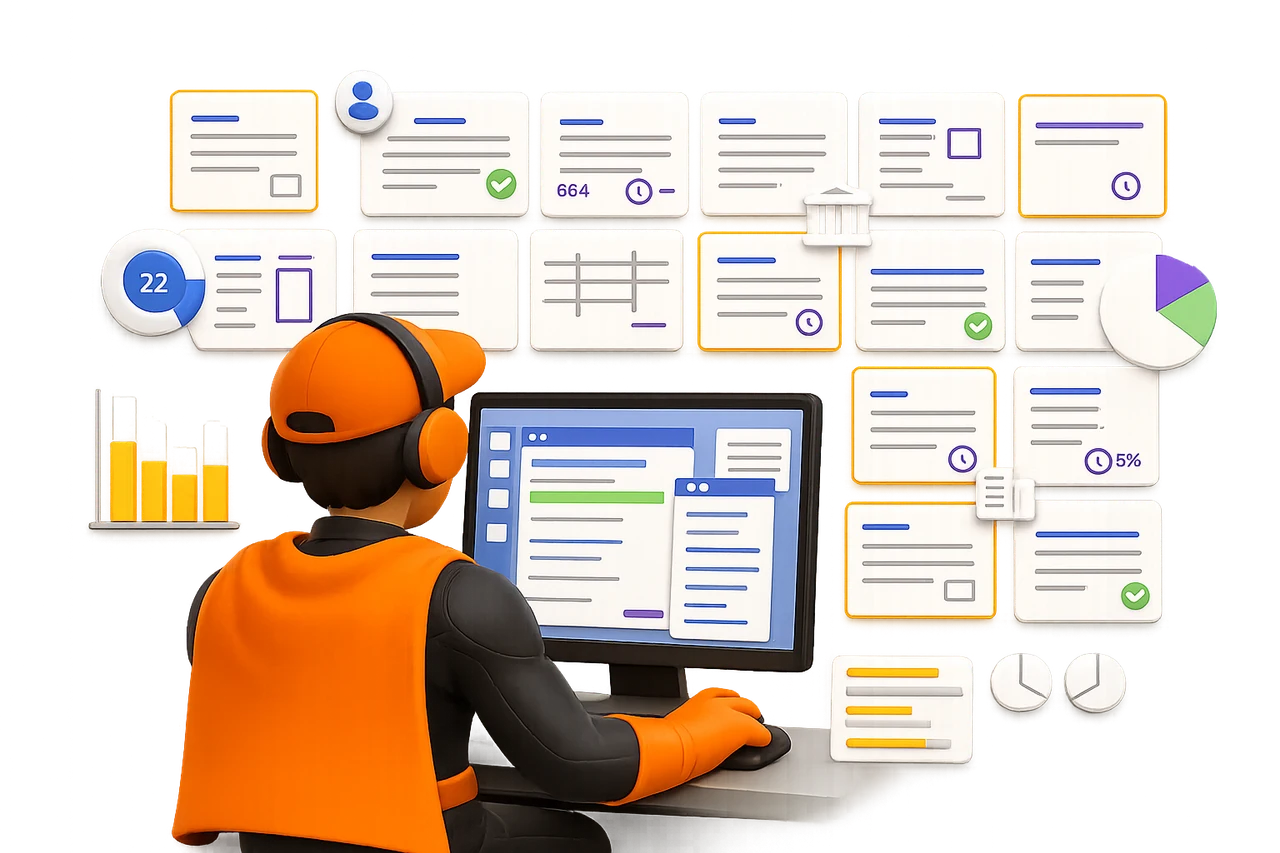
Illustration accompanying UX Decisions Must Remain Visible

UX Decisions Must Remain Visible

The UI should strengthen the UX decisions already made in the wireframes.

It should not hide important actions, weaken hierarchy, or introduce visual complexity into a simplified workflow.

Illustration accompanying UX Decisions Must Remain Visible

Step - 1 Takeaway

Strong Visual Directions Begin With Product Understanding

​

Exceptional UI concepts do not begin with decoration.

​

They begin by connecting product context, users, workflows, business goals, and visual opportunities.


Step - 1 Takeaway: Product Context Users Workflows Business Goals Visuals Opportunities

Product Context

Step - 1 Takeaway: Product Context Users Workflows Business Goals Visuals Opportunities

Users

Step - 1 Takeaway: Product Context Users Workflows Business Goals Visuals Opportunities

Workflows

Step - 1 Takeaway: Product Context Users Workflows Business Goals Visuals Opportunities

Business Goals

Step - 1 Takeaway: Product Context Users Workflows Business Goals Visuals Opportunities

Visuals Opportunities

Step - 1 Takeaway

Strong Visual Directions Begin With Product Understanding

Exceptional UI concepts do not begin with decoration.

They begin by connecting product context, users, workflows, business goals, and visual opportunities.

Step - 1 Takeaway: Product Context Users Workflows Business Goals Visuals Opportunities

Product Context

Step - 1 Takeaway: Product Context Users Workflows Business Goals Visuals Opportunities

Users

Step - 1 Takeaway: Product Context Users Workflows Business Goals Visuals Opportunities

Workflows

Step - 1 Takeaway: Product Context Users Workflows Business Goals Visuals Opportunities

Business Goals

Step - 1 Takeaway: Product Context Users Workflows Business Goals Visuals Opportunities

Visuals Opportunities

FRAMEWORK CONTENTS

UI Concepts Framework

Search documentation

Search scope

Search across all eight guides.

Diagram detail