

UI Concepts Framework · CHAPTER 8 OF 8
Presenting and applying UI concepts

Step 8 Present the UI Concepts
Explain Every Design Choice
When presenting UI concepts, explain the intention and reasoning behind each decision.
This helps stakeholders understand the direction and provide relevant feedback.


Mike Lawrence Mayor
012318912220
24Y


+91 9246337890

mike2002@gmail.com

Floor 4, Hno: 5-7-61/1, Sangeet Nagar, Kukatpally, Hyderabad, Telangana 500072

Edit Patient Details
MRI
12:30 Today
MRI Brain (Non-contrast) ordered for evaluation of headache and dizziness

Scheduled
012318912220

MRI
12:30pm , 18 Jan 2026
X Ray
10:30am , 16 Dec 2025
X Ray
11:00am , 10 Nov 2025
CT Scan
03:00pm , 18 Oct 2025
MRI
03:00pm , 18 Oct 2025



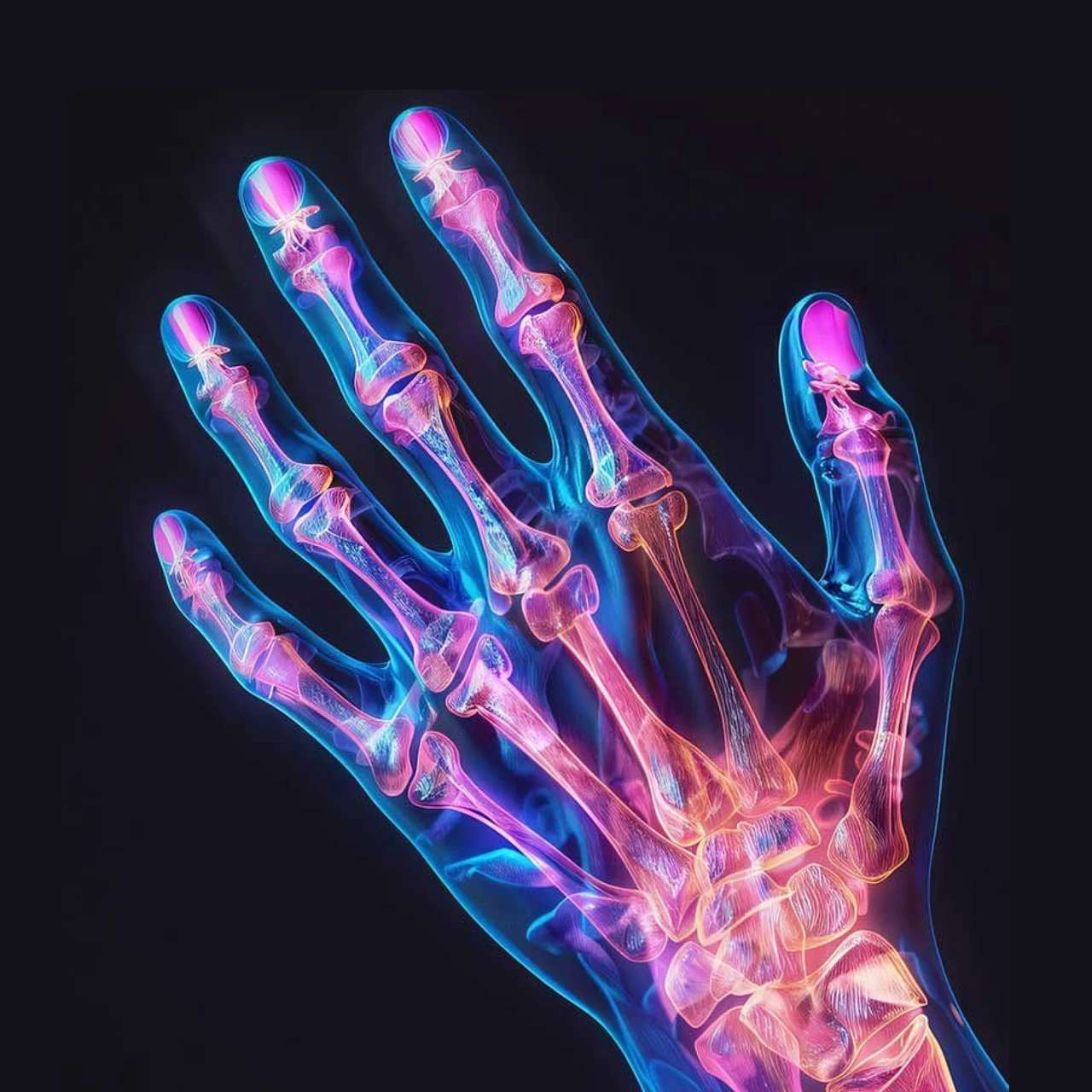
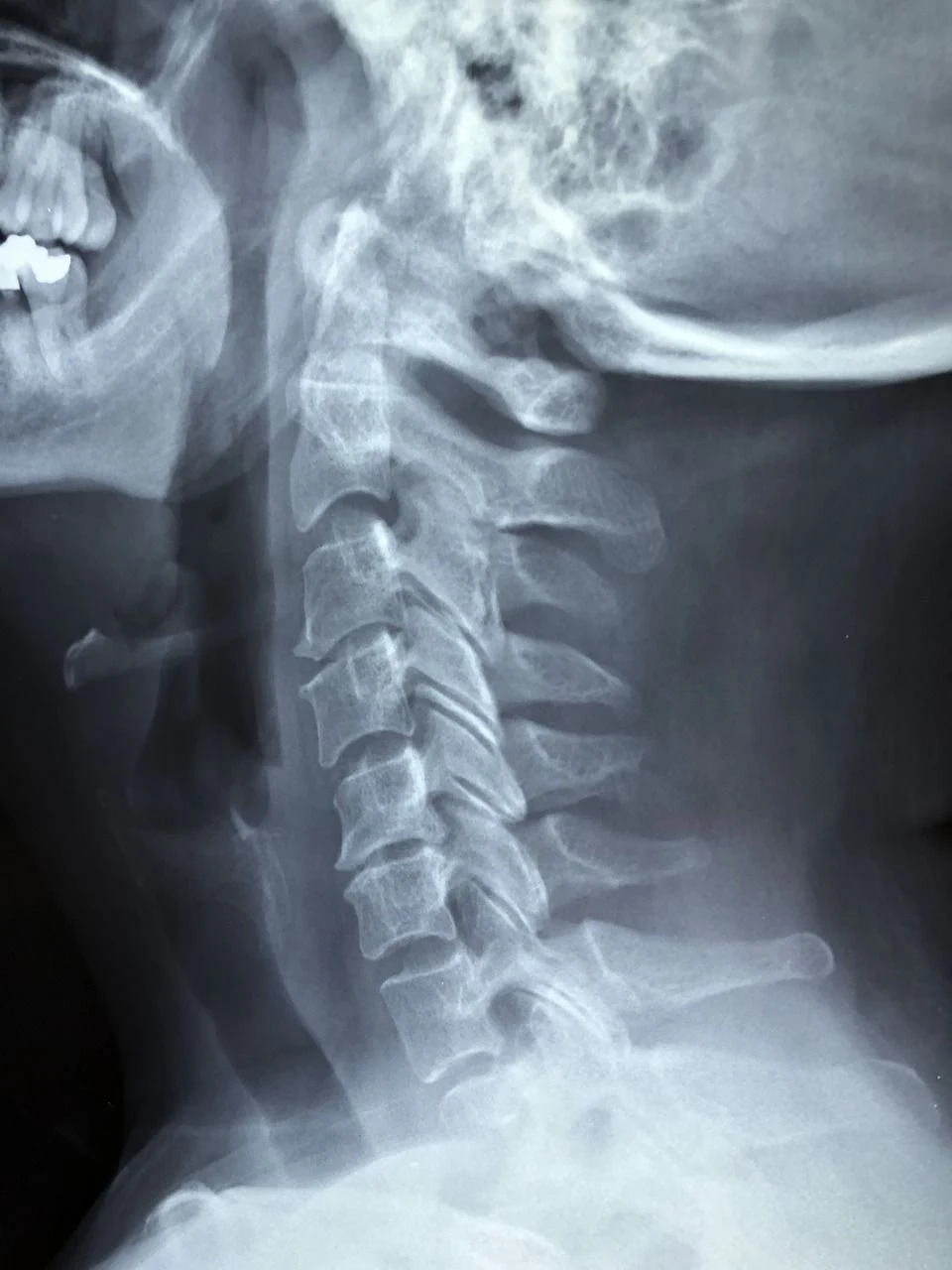


View in Diacom

MRI MT 001

Analyse with Ai


A non-contrast CT scan of the brain was performed using a multi-slice CT scanner. Axial sections were obtained from the skull base to the vertex with standard brain window settings. Coronal and sagittal reconstructions were reviewed where required.
No intravenous contrast was administered. The study was completed without complications, and image quality was adequate for interpretation.
- Cerebral hemispheres show normal grey–white matter differentiation.
- No evidence of intracranial hemorrhage, space-occupying lesion, or acute territorial infarct.
- Ventricular system appears normal in size and configuration, with no midline shift.


Save As Draft

Send For Review



Explain Every Design Choice
When presenting UI concepts, explain the intention and reasoning behind each decision.
This helps stakeholders understand the direction and provide relevant feedback.
Mike Lawrence Mayor
012318912220
24Y
+91 9246337890
mike2002@gmail.com
Floor 4, Hno: 5-7-61/1, Sangeet Nagar, Kukatpally, Hyderabad, Telangana 500072
Edit Patient Details
MRI
12:30 Today
MRI Brain (Non-contrast) ordered for evaluation of headache and dizziness
Scheduled
012318912220
MRI
12:30pm , 18 Jan 2026
X Ray
10:30am , 16 Dec 2025
X Ray
11:00am , 10 Nov 2025
CT Scan
03:00pm , 18 Oct 2025
MRI
03:00pm , 18 Oct 2025
View in Diacom
MRI MT 001
Analyse with Ai
A non-contrast CT scan of the brain was performed using a multi-slice CT scanner. Axial sections were obtained from the skull base to the vertex with standard brain window settings. Coronal and sagittal reconstructions were reviewed where required.
No intravenous contrast was administered. The study was completed without complications, and image quality was adequate for interpretation.
- Cerebral hemispheres show normal grey–white matter differentiation.
- No evidence of intracranial hemorrhage, space-occupying lesion, or acute territorial infarct.
- Ventricular system appears normal in size and configuration, with no midline shift.
Save As Draft
Send For Review
Present the Complete Visual Direction





Present the Complete Visual Direction
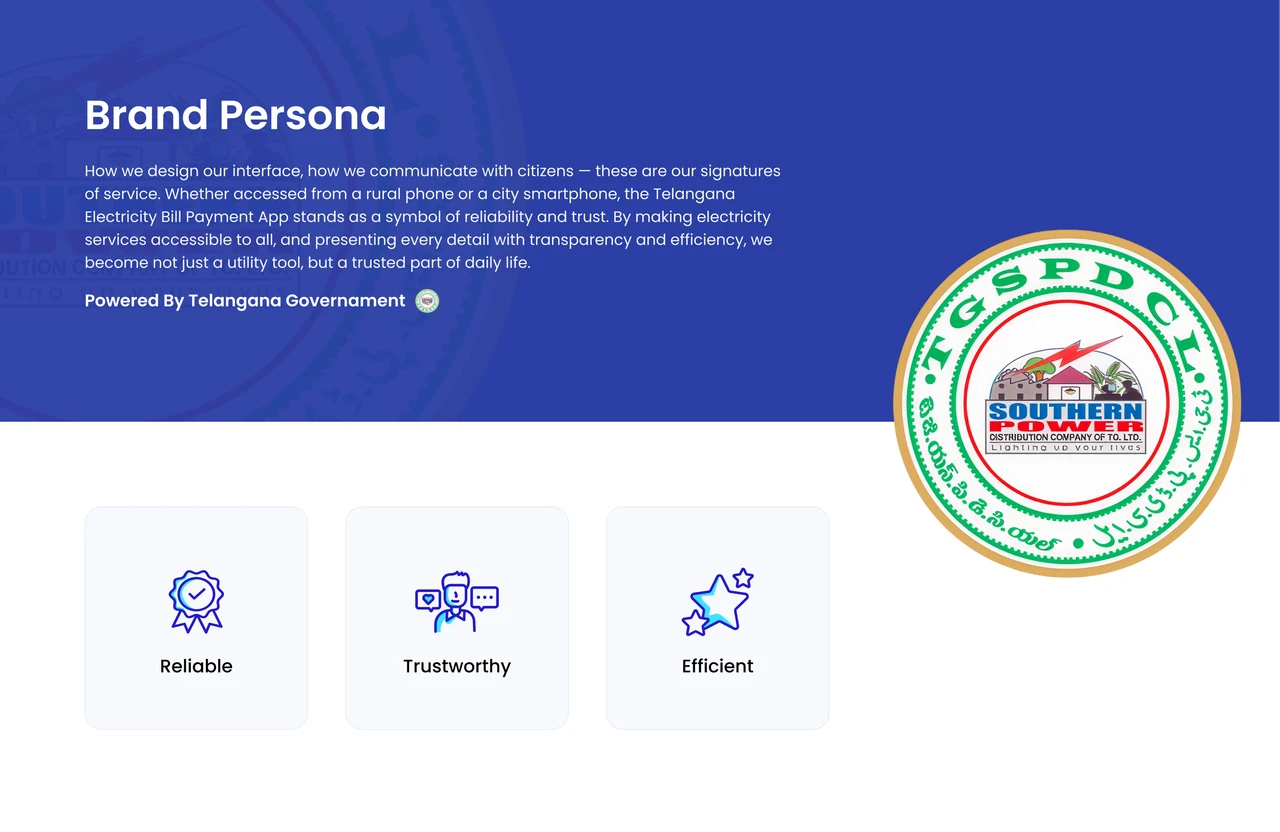
Example: TG Electricity App
For the Telangana Electricity App, the selected brand traits were:
- Reliable
- Trustworthy
- Efficient
These traits guided how the interface looked and communicated with citizens.

Example: TG Electricity App
For the Telangana Electricity App, the selected brand traits were:
- Reliable
- Trustworthy
- Efficient
These traits guided how the interface looked and communicated with citizens.
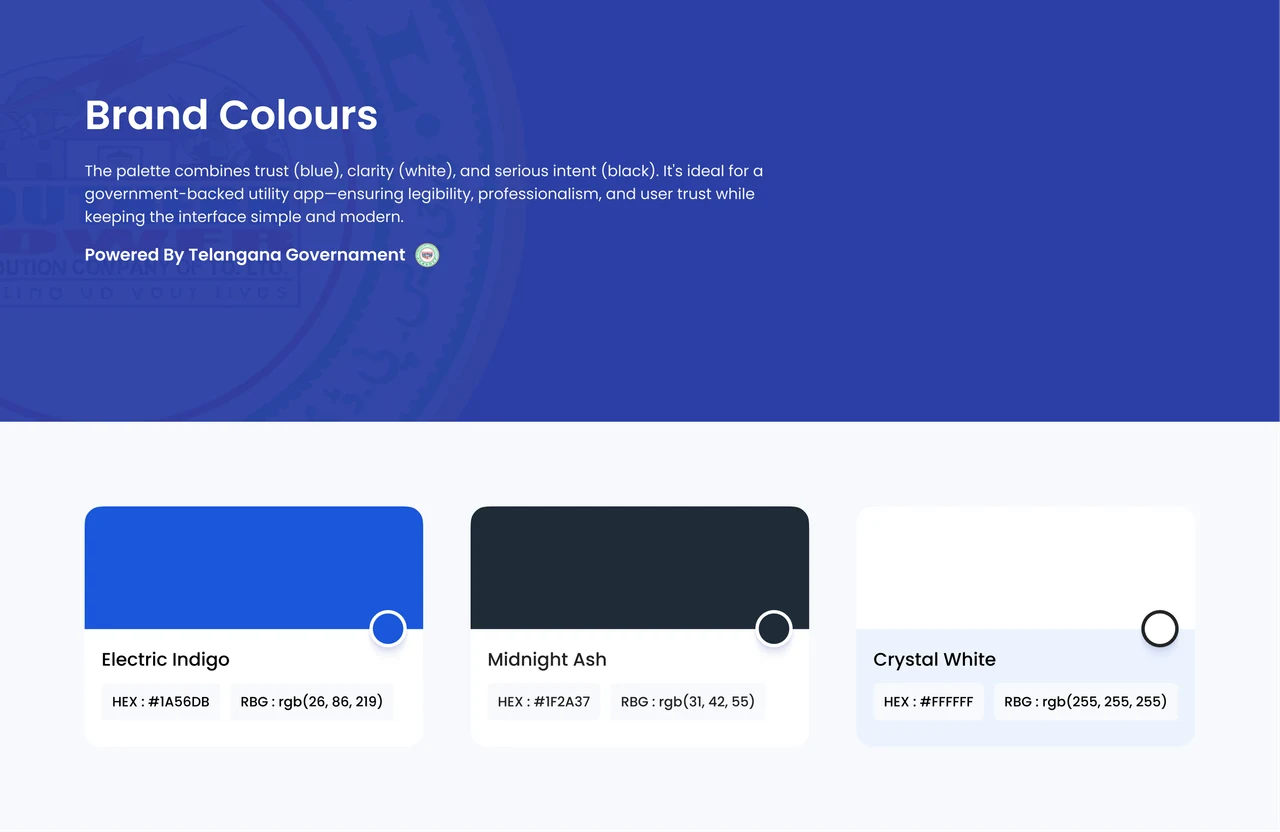
Explain the Brand Colours

Explain the Brand Colours
Secondary Colours
Secondary colours were used for: System statuses, Alerts, Tags, Supporting highlights.
They improved communication without competing with the primary colour.
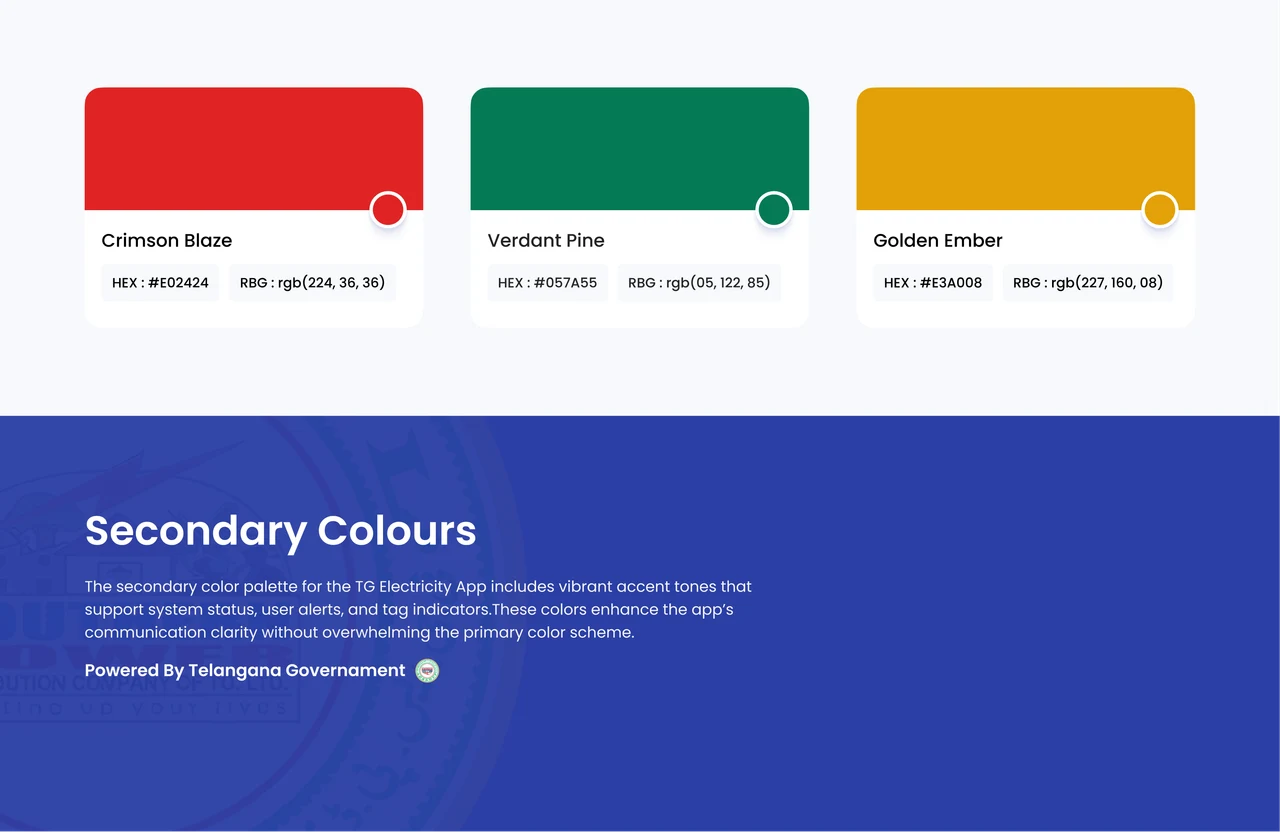
Secondary Colours
Secondary colours were used for: System statuses, Alerts, Tags, Supporting highlights.
They improved communication without competing with the primary colour.
Tertiary Colours
Neutral colours were used for: Backgrounds, Dividers, Borders, Inactive elements
They kept the interface balanced and uncluttered.
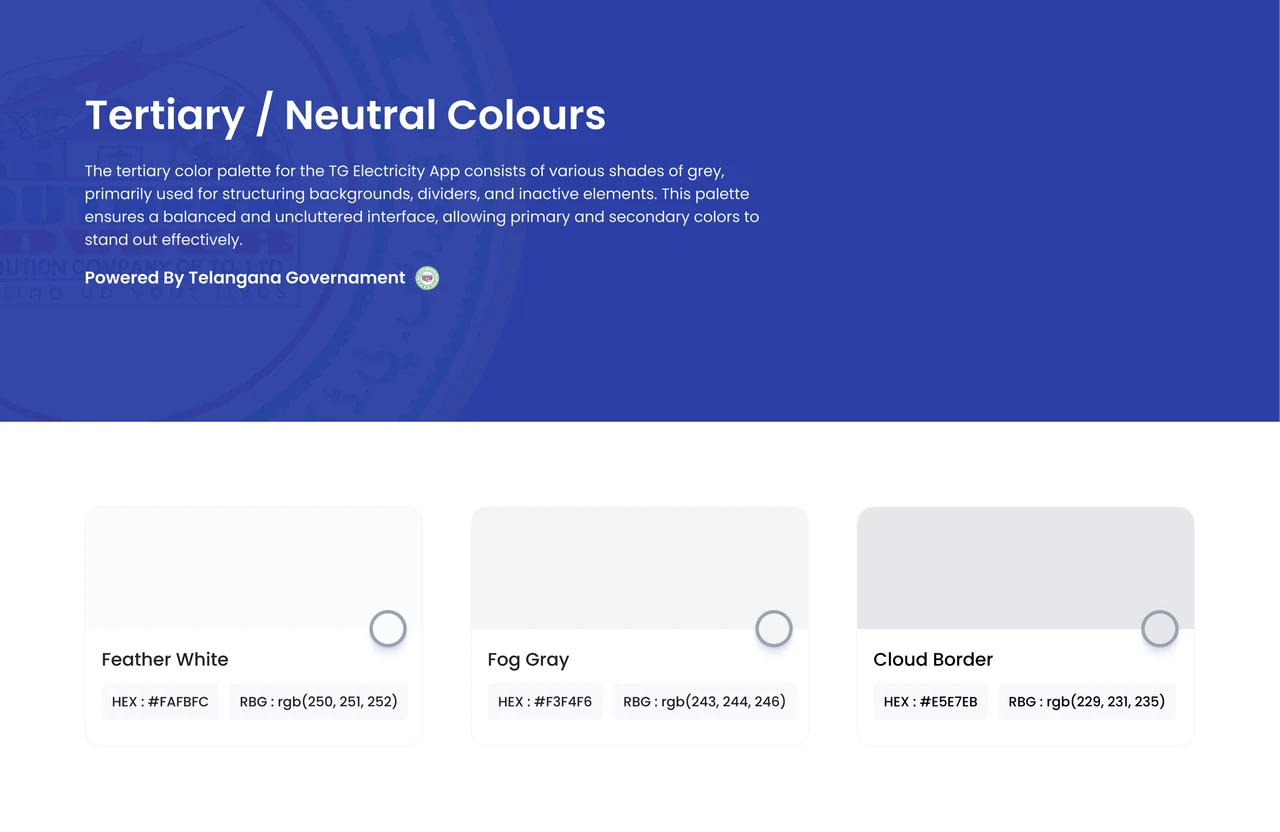
Tertiary Colours
Neutral colours were used for: Backgrounds, Dividers, Borders, Inactive elements
They kept the interface balanced and uncluttered.
Explain the Typography
Noto Sans was selected for the application.
The presentation clearly explained why it suited the interface and supported readability.
Noto Sans
Explain the Typography
Noto Sans was selected for the application.
The presentation clearly explained why it suited the interface and supported readability.
Noto Sans
Present Icons and Illustrations
Show how the selected iconography and illustration styles support:
- Brand personality
- Product communication
- Interface clarity
- Empty-state
- Visual consistency







Present Icons and Illustrations
Show how the selected iconography and illustration styles support:
- Brand personality
- Product communication
- Interface clarity
- Empty-state
- Visual consistency
Show the Sample Screens
Finally, present the selected screens where all visual elements come together.
This helps stakeholders understand how the complete concept works in practice.

Show the Sample Screens
Finally, present the selected screens where all visual elements come together.
This helps stakeholders understand how the complete concept works in practice.
Present Both Directions

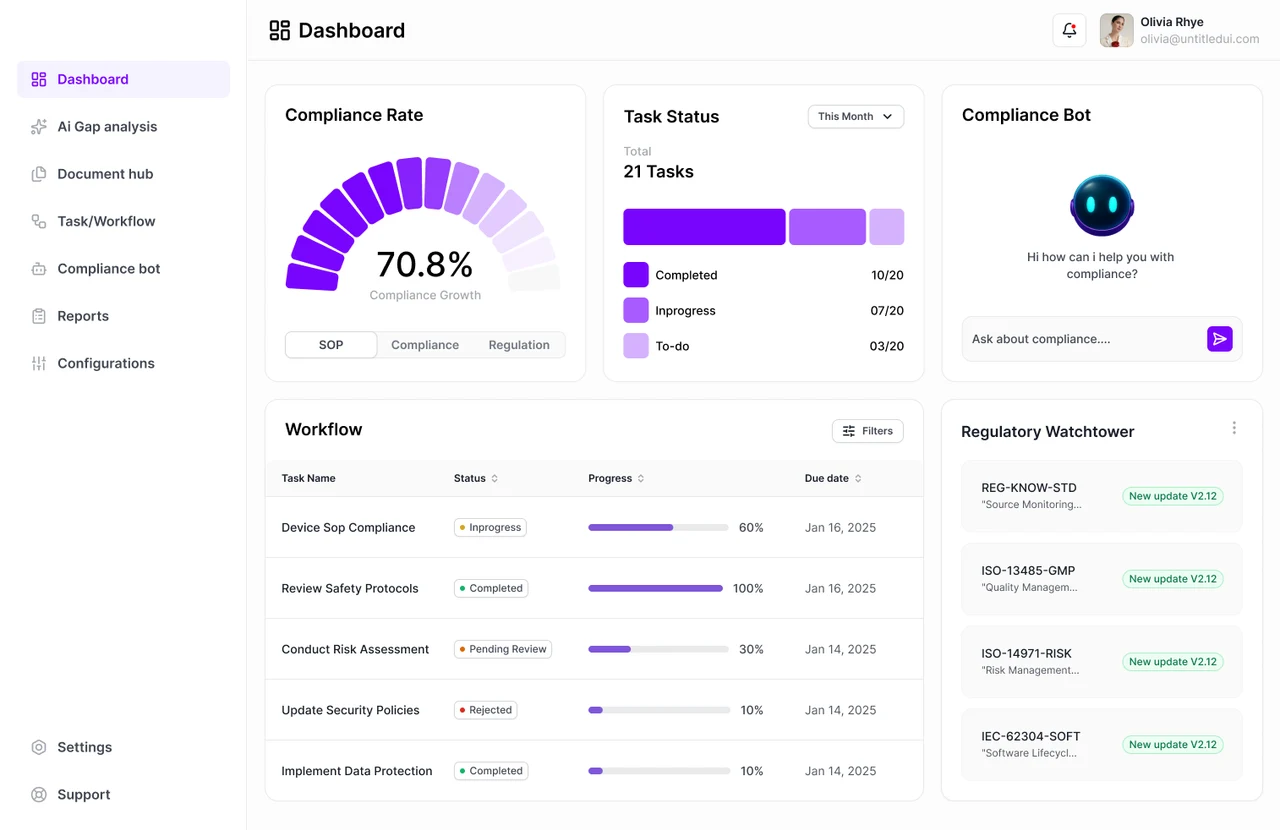

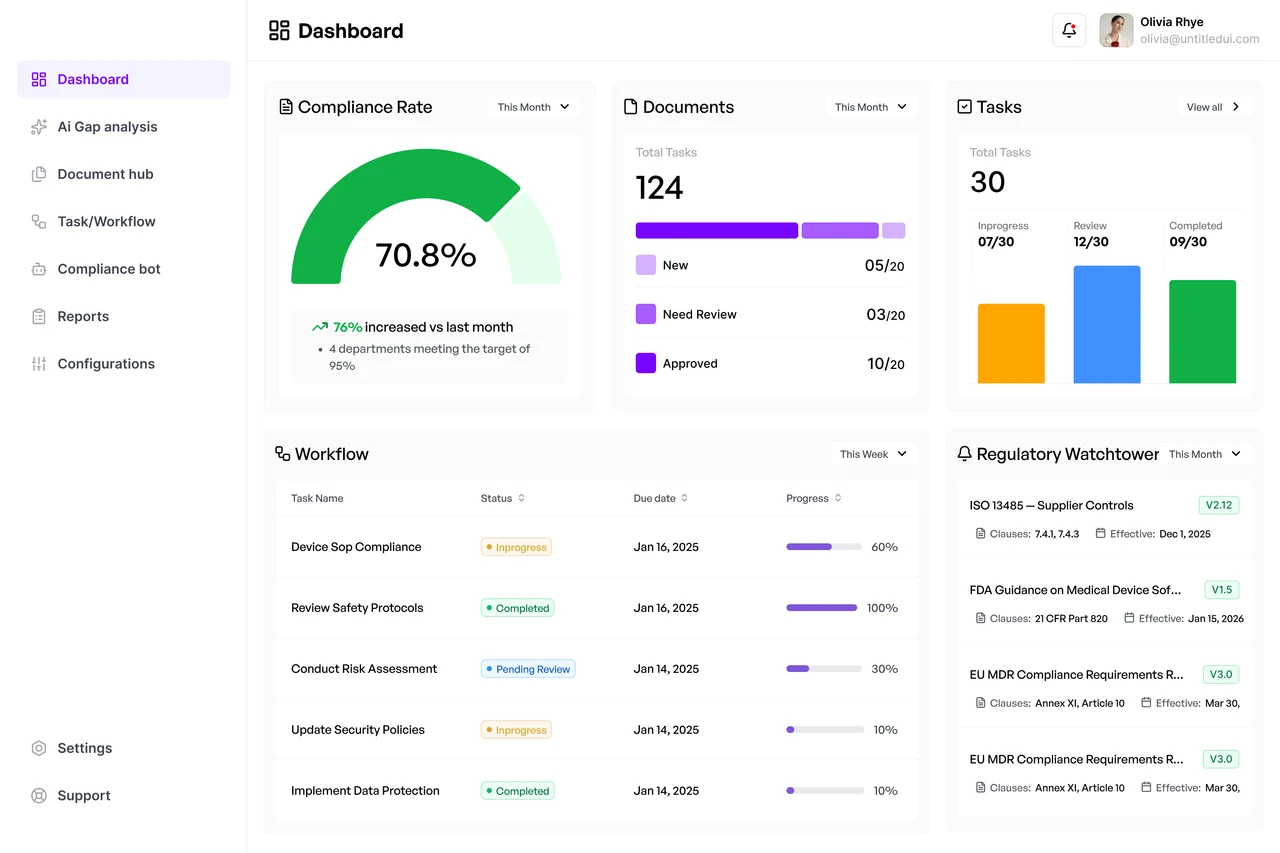
Present Both Directions
Be Open to Feedback
Stakeholders may understand constraints, priorities, or business context the design team may not fully know.
Treat feedback as additional input, not something to defend against. If feedback conflicts with usability, explain the trade-off clearly.


Be Open to Feedback
Stakeholders may understand constraints, priorities, or business context the design team may not fully know.
Treat feedback as additional input, not something to defend against. If feedback conflicts with usability, explain the trade-off clearly.
Final Step 9 Takeaway
Present the Direction, Not Just the Screens
Explain the reasoning behind the brand persona, colours, typography, icons, illustrations, and sample screens so stakeholders can evaluate both concepts clearly.

Final Step 9 Takeaway
Present the Direction, Not Just the Screens
Explain the reasoning behind the brand persona, colours, typography, icons, illustrations, and sample screens so stakeholders can evaluate both concepts clearly.
How Upslide Uses This in Real Projects
UI Concepts Guide the Visual Direction
UI concepts build on product understanding, brand persona, selected screens, and redesign insights.
They help us explore and validate how the software should look, feel, and communicate before designing the complete interface.


UI Concepts Guide the Visual Direction
UI concepts build on product understanding, brand persona, selected screens, and redesign insights.
They help us explore and validate how the software should look, feel, and communicate before designing the complete interface.

After UI Concepts,
our process continues with
“Final UI design”
After UI Concepts, our process continues with “ Final UI design”
Final Takeaway
UI Concepts Are Essential Before Final UI

UI Concepts Are Essential Before Final UI

Before changing the interface, understand what is really slowing users down.
Before changing the interface, understand what is really slowing users down.
LET’S PUT IT INTO PRACTICE
Ready to improve your SaaS product?
Work with Upslide to uncover UX gaps, simplify complex workflows, and create a product your users can navigate with confidence.