UI Concepts Framework · CHAPTER 7 OF 8
The iconography system

Step 7 Define the Iconography System
Icons Support Faster Understanding
Icons may be small interface elements, but they play an important role in how users understand and navigate the software.
They help users recognise actions, identify sections, and scan information without reading every label.


Chats
Legacy UI

Notification
Dashboard

Chats

Recycle
Complaints
Quick actions

Legacy UI

Chats
Archive

Edit
Archive

Legacy UI

Icons Support Faster Understanding
Icons may be small interface elements, but they play an important role in how users understand and navigate the software.
They help users recognise actions, identify sections, and scan information without reading every label.

Chats
Legacy UI

Notification
Dashboard

Chats

Recycle
Complaints
Quick actions

Legacy UI

Chats
Archive

Edit
Archive

Legacy UI

Icons Also Shape the Visual Experience

Icons Communicate More Than Functionality. The visual style of an icon influences how the complete interface looks and feels.
Minimal
Professional
Friendly

Bold
Modern

Icons Can Make The Software Feel:
Icons Also Shape the Visual Experience

Icons Communicate More Than Functionality. The visual style of an icon influences how the complete interface looks and feels.
Minimal
Professional
Friendly

Bold
Modern

Icons Can Make The Software Feel:
Match Iconography to the UI Concept

Before choosing an icon library, review the visual direction established through:


Brand persona

Moodboard

Colour system

Product context

Typography
The icon style should feel like part of the same concept.
Match Iconography to the UI Concept

Before choosing an icon library, review the visual direction established through:

Brand persona

Moodboard

Colour system

Product context

Typography


The icon style should feel like part of the same concept.
Choose Icon Styles Based on the UI Concept

Linear Icons
Clean and lightweight
best for navigation, tables, forms, and compact actions.
Filled or Bulk Icons
Bold and highly visible
suitable for strong colours, large components and elements.
Duotone Icons
Add depth and personality
useful for dashboards, feature cards, categories, and empty states.


Choose Icon Styles Based on the UI Concept

Linear Icons
Filled or Bulk Icons
Duotone Icons


Clean and lightweight best for navigation, tables, forms, and compact actions.
Bold and highly visible suitable for strong colours, large components and elements.
Add depth and personality useful for dashboards, feature cards, categories, and empty states.
Example
Smart-Home Automation App
Example
Smart-Home Automation App
TV
Lamp
Morning
Fan
Gym
Monitor
House
Lamp
Gym
Monitor
House
Lamp
TV
Lamp
Morning
Fan
Device Icons
Used to represent televisions, lights, fans, air conditioners and other connected devices.
Utility Icons
Used for general actions such as search, add, navigation, settings, and controls.
Two Icon Styles for Two Purposes
In the smart-home application, we used separate icon styles for:
Two Icon Styles for Two Purposes
In the smart-home application, we used separate icon styles for:
TV
Lamp
Morning
Fan
Gym
Monitor
House
Lamp
Gym
Monitor
House
Lamp
TV
Lamp
Morning
Fan
Device Icons
Used to represent televisions, lights, fans, air conditioners and other connected devices.
Utility Icons
Used for general actions such as search, add, navigation, settings, and controls.

Proportions

Level of detail

Overall brand character

Visual weight

Corner radius

Colour language
Style Difference Should Still Feel Consistent

Even when two styles are used, they should share consistent qualities such as:


Style Difference Should Still Feel Consistent
Even when two styles are used, they should share consistent qualities such as:

Proportions

Level of detail

Overall brand character

Visual weight

Corner radius

Colour language


Choose Icons Based on Context and Clarity
Icons should match where they are used and remain easy to understand.
An Attractive Icon Can Still Be Confusing

Is its meaning familiar?

Is it recognisable at small sizes?

Does it remain clear without colour?

Does it look too similar to another icon?

Can users understand the action quickly?
Before selecting an icon, check:
Choose Icons Based on Context and Clarity
Icons should match where they are used and remain easy to understand.
An Attractive Icon Can Still Be Confusing
Before selecting an icon, check:

Is its meaning familiar?

Is it recognisable at small sizes?

Does it remain clear without colour?

Does it look too similar to another icon?

Can users understand the action quickly?
Use Animated Icons With Purpose
Animated icons should do more than make the interface feel dynamic. Use motion when it helps users understand information faster.
Communicate actions clearly
Show system feedback
Reinforce interactions
Clarify state changes
Make interactions intuitive




Communicate actions clearly
Show system feedback

Reinforce interactions

Clarify state changes

Make interactions intuitive
Use Animated Icons With Purpose
Animated icons should do more than make the interface feel dynamic. Use motion when it helps users understand information faster. Communicate actions clearly
Show system feedback
Reinforce interactions
Clarify state changes
Make interactions intuitive


Communicate actions clearly

Show system feedback

Reinforce interactions

Clarify state changes

Make interactions intuitive
Pair Unfamiliar Icons With Labels
Do Not Depend on the Icon Alone
For actions that are uncommon, technical, or specific to the software, pair the icon with a clear text label.
This reduces ambiguity and helps users learn the action.

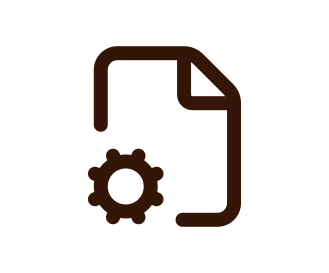
File Settings

Pair Unfamiliar Icons With Labels
Do Not Depend on the Icon Alone
For actions that are uncommon, technical, or specific to the software, pair the icon with a clear text label.
This reduces ambiguity and helps users learn the action.
File Settings

Iconography Checklist

The Final Check Before moving to next process

If the answer is no for even one or if there is even the tiniest bit ambiguity, the team should not proceed. Understand the context before moving further.

Does the icon style match the UI concept?
Does it support the brand persona?
Are common actions immediately recognisable?
Are the icons visually consistent?
Are unfamiliar actions paired with labels?
Have the icons been tested inside real screens?
Before finalising confirm:
Does the icon style match the UI concept?
Does it support the brand persona?
Are common actions immediately recognisable?
Are the icons visually consistent?
Are unfamiliar actions paired with labels?
Have the icons been tested inside real screens?
Before finalising confirm:
The Final Check Before moving to next process
If the answer is no for even one or if there is even the tiniest bit ambiguity, the team should not proceed. Understand the context before moving further.
Does the icon style match the UI concept?
Does it support the brand persona?
Are common actions immediately recognisable?
Are the icons visually consistent?
Are unfamiliar actions paired with labels?
Have the icons been tested inside real screens?

Final Step 7 Takeaway
Icons Should Improve Recognition Without Adding Confusion
Choose icon styles that support functionality, brand personality, visual consistency, and the context in which they will be used.



Support functionality

Information

Brand personality

Visual consistency
Final Step 7 Takeaway
Icons Should Improve Recognition Without Adding Confusion
Choose icon styles that support functionality, brand personality, visual consistency, and the context in which they will be used.

Support functionality

Information

Brand personality

Visual consistency