

UX Audit Framework · CHAPTER 3 OF 6
Preparing the audit
Why UX Audit Is Not Optional
Poor Auditing Leads to Wrong Redesign Priorities.
Without a proper audit, teams may spend weeks redesigning screens that are not causing the real problem.
Meanwhile, the workflows, actions, or product gaps slowing users down remain unchanged.


Poor Auditing Leads to Wrong Redesign Priorities.
Without a proper audit, teams may spend weeks redesigning screens that are not causing the real problem.
Meanwhile, the workflows, actions, or product gaps slowing users down remain unchanged.

Audit helps the team focus redesign effort where it can create the most impact.
Audit helps the team focus redesign effort where it can create the most impact.

Without Audit, Teams May

Redesign existing inefficiencies
Miss incomplete paths
Ignore repeated UX gaps
Overlook missing states
Keep unnecessary steps
Without Audit, Teams May
Without Audit, Teams May
Without Audit, Teams May
Without Audit, Teams May
Types of Audit
- Flow-Wise Audit
- Screen-Wise Audit
Types of Audit
- Flow-Wise Audit
- Screen-Wise Audit
Flow-Wise Audit
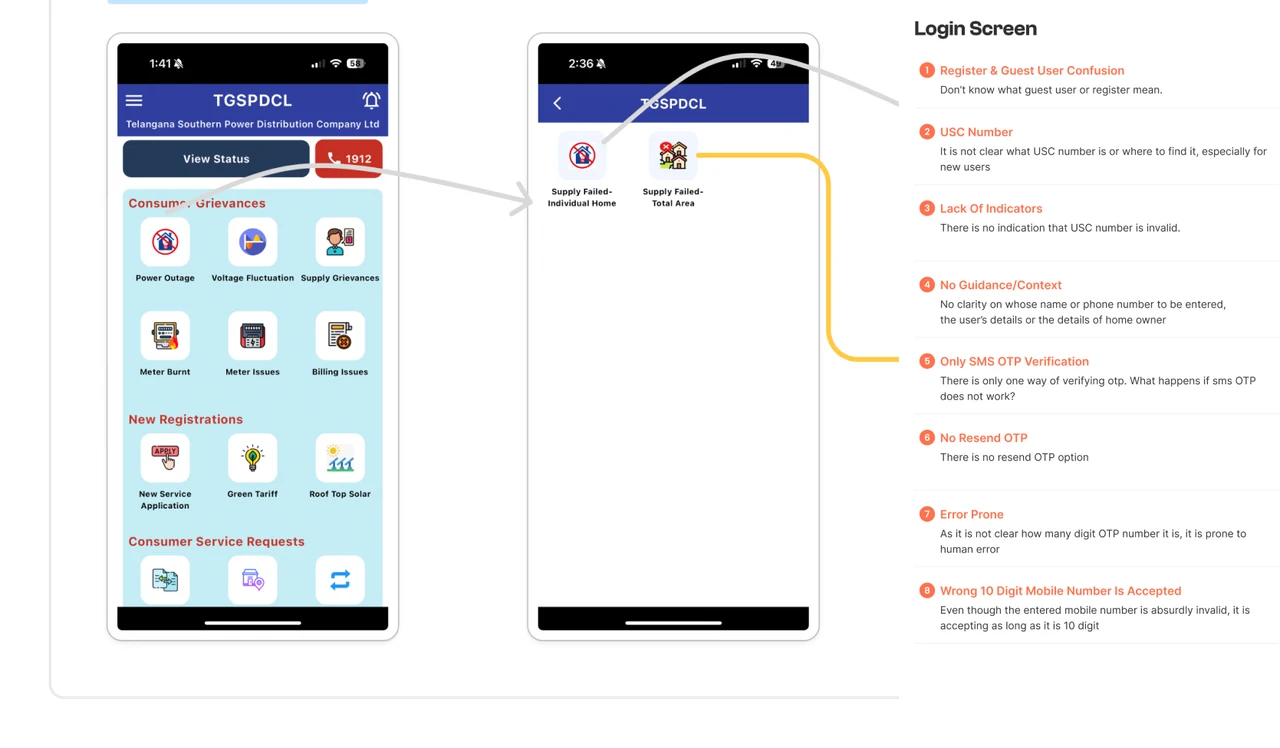
A flow-wise audit analyses the complete workflow from beginning to end.
It checks whether users can complete their tasks efficiently.
It also helps identify missing screens, missing features, alternate paths, and edge cases.
Main question:
Does the workflow work effectively from beginning to end?


Flow-Wise Audit
A flow-wise audit analyses the complete workflow from beginning to end.
It checks whether users can complete their tasks efficiently.
It also helps identify missing screens, missing features, alternate paths, and edge cases.
Main question:
Does the workflow work effectively from beginning to end?
Screen-Wise Audit
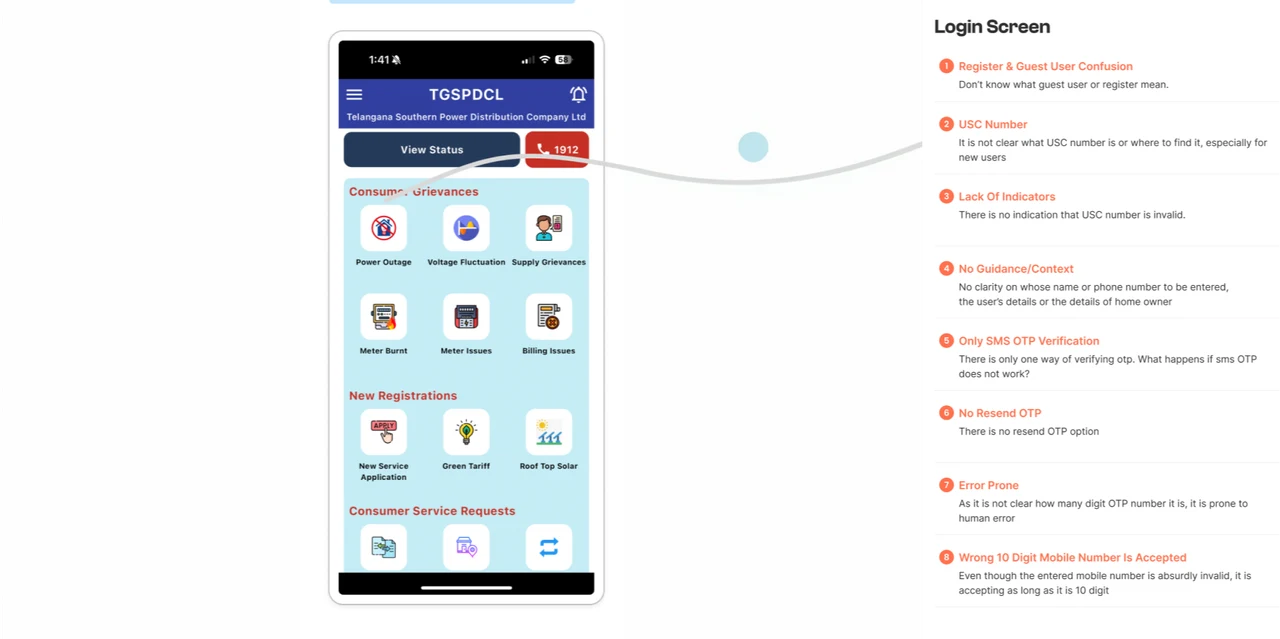
A screen-wise audit examines individual screens for UI issues such as:
- Typography
- Spacing
- Visual hierarchy
- Contrast
- Icons
- Component consistency
But these issues often repeat across the product.
Screen-Wise Audit
A screen-wise audit examines individual screens for UI issues such as:
- Typography
- Spacing
- Visual hierarchy
- Contrast
- Icons
- Component consistency
But these issues often repeat across the product.
Where Audit Helps in Redesign
Audit Gives the Existing Product a Clear Diagnosis.
Before deciding the new navigation, information architecture, wireframes, or interface, the team needs to understand what is already broken.
Audit findings give the redesign a clear starting direction.
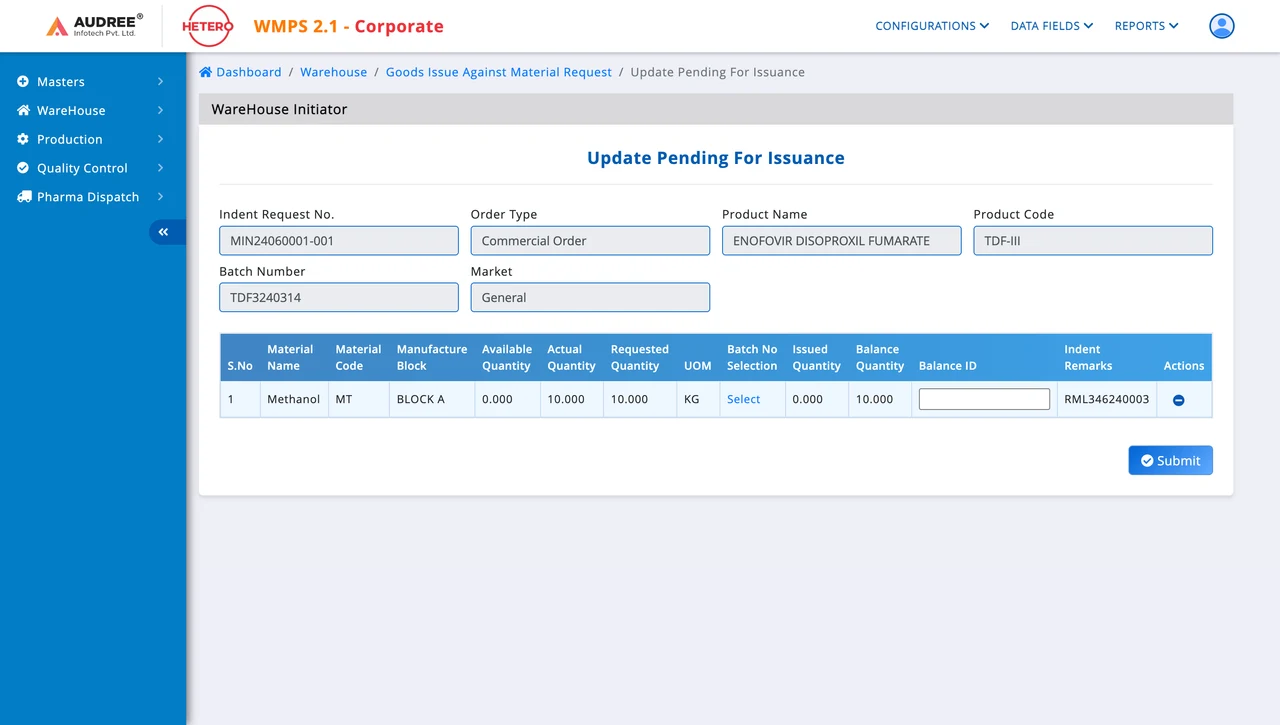




Audit Gives the Existing Product a Clear Diagnosis.
Before deciding the new navigation, information architecture, wireframes, or interface, the team needs to understand what is already broken.
Audit findings give the redesign a clear starting direction.
The Upslide UX Audit Framework
A 5-Step Audit Process Before Redesigning B2B Software
A 5-Step Audit Process Before Redesigning B2B Software
Understand the Existing Product
Start With the Context Already Understood
Before the audit begins, the team already has context on the industry, users, workflows, business goals, and competitors.
Now, use that context to review the existing product and find where the experience does not match how users actually work.

Start With the Context Already Understood
Before the audit begins, the team already has context on the industry, users, workflows, business goals, and competitors.
Now, use that context to review the existing product and find where the experience does not match how users actually work.
Audit With Context, Not Personal Preference.
“This screen feels confusing" is not an audit finding.”
Good audits are based on product context, not designer preference.
Ask
- Who is using this?
- What are they trying to complete?
- What information do they need?
- What happens before and after this screen?

Audit With Context, Not Personal Preference.
“This screen feels confusing" is not an audit finding.”
Good audits are based on product context, not designer preference.
Ask
- Who is using this?
- What are they trying to complete?
- What information do they need?
- What happens before and after this screen?
Choose the User Flow & Set Up the Template
Start With One Workflow.
A B2B software workflow usually involves multiple user roles.
Begin by selecting one workflow and the user role you want to audit first.
Do not audit everything randomly. Follow the workflow sequence.
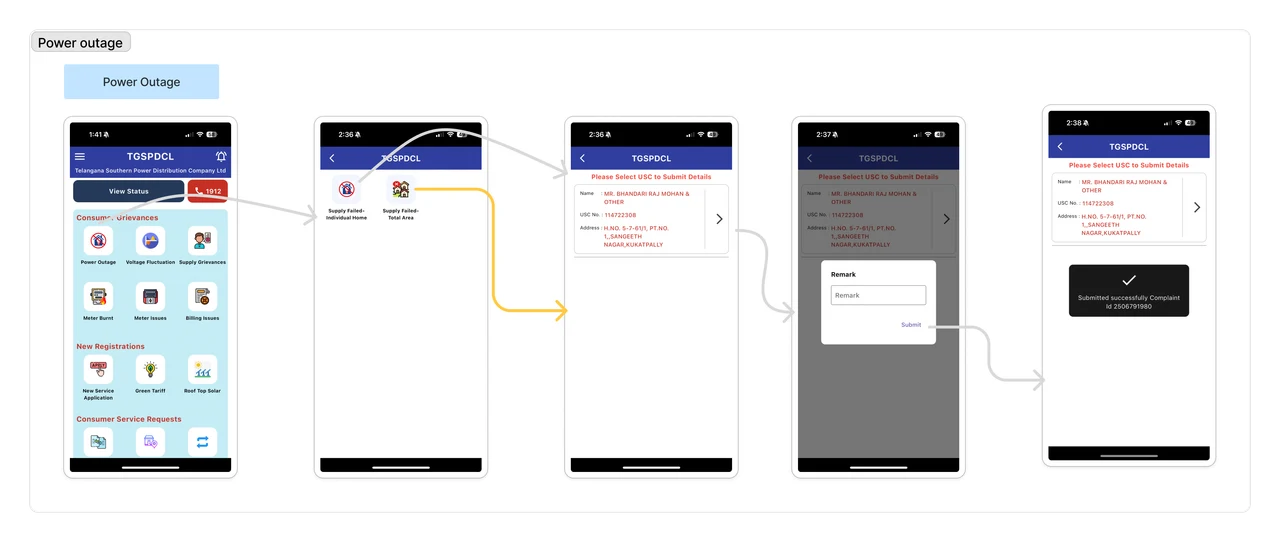
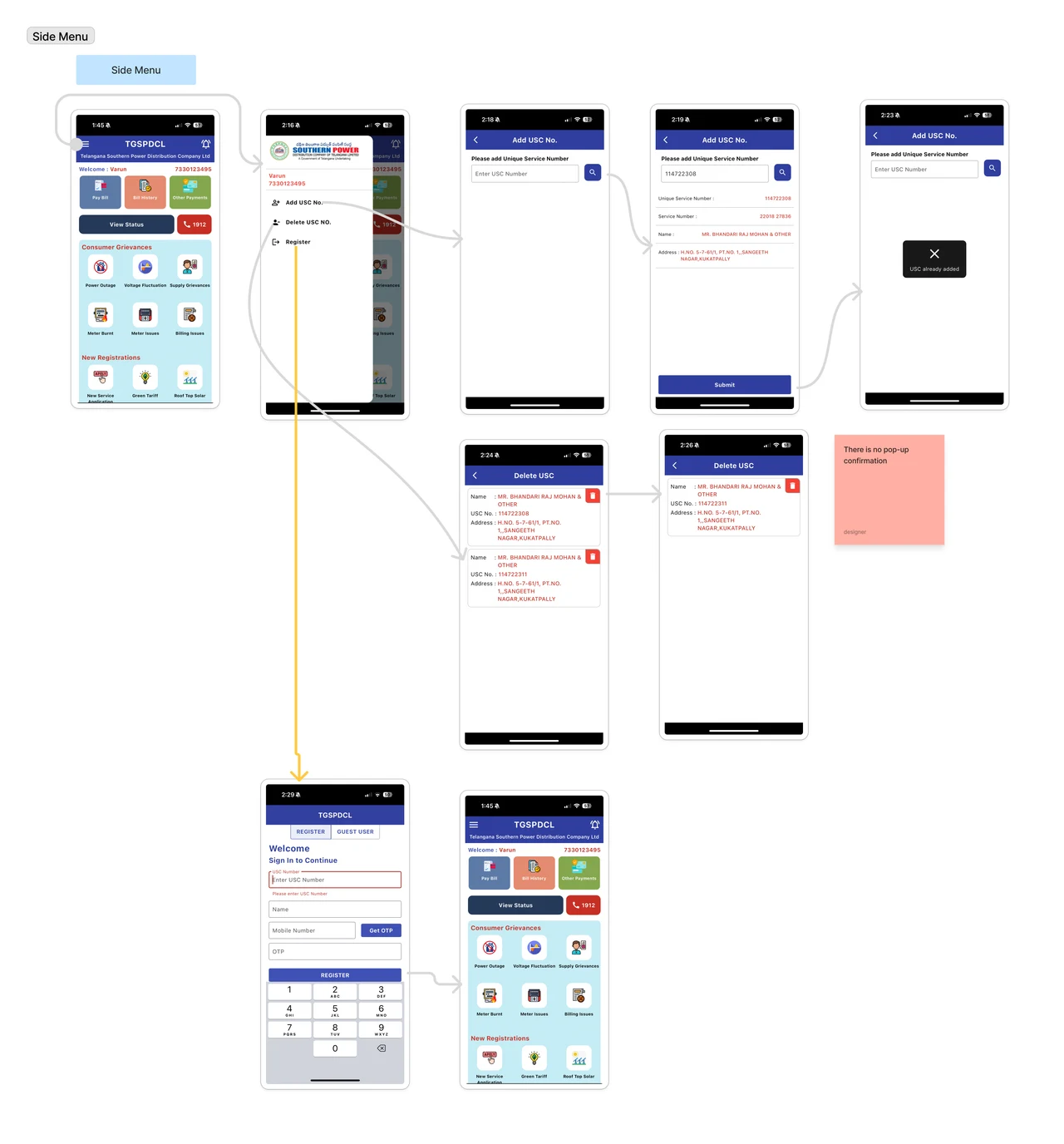

Start With One Workflow.
A B2B software workflow usually involves multiple user roles.
Begin by selecting one workflow and the user role you want to audit first.
Do not audit everything randomly. Follow the workflow sequence.
Start With the Initiating User.
Always begin with the user who starts the workflow.
This makes it easier to audit the software in the correct sequence.
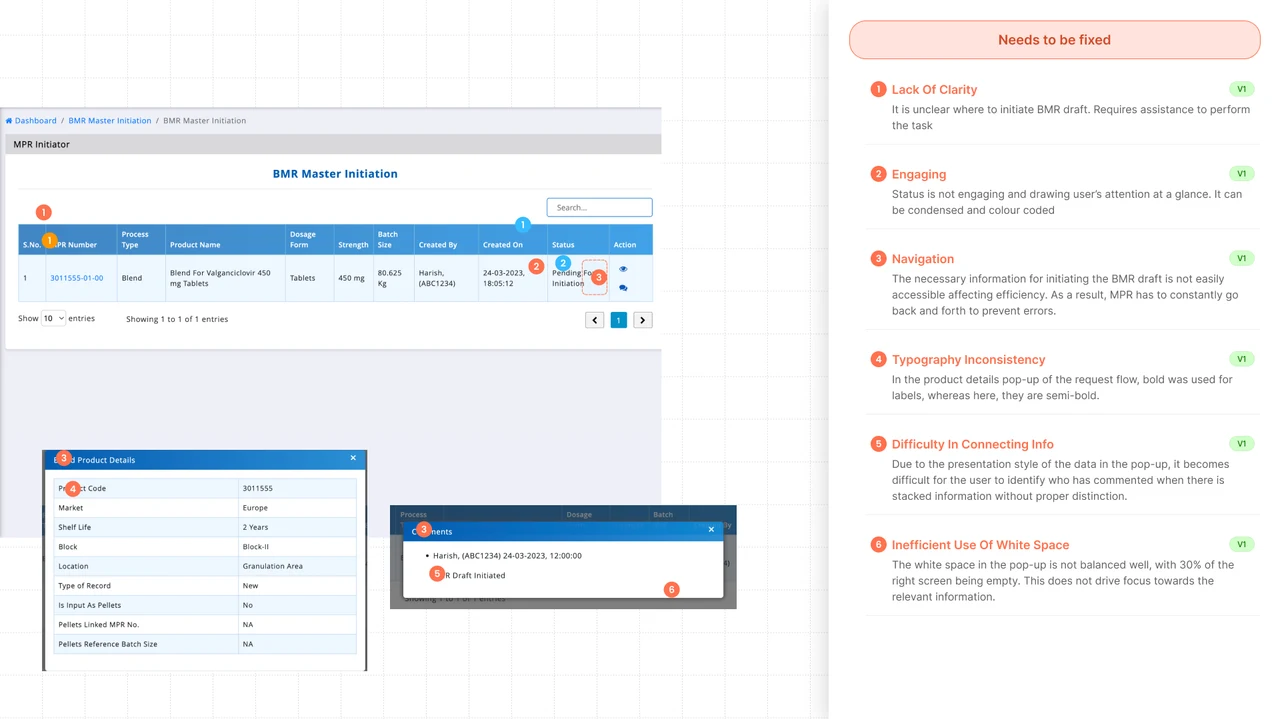
For example, in a BMR workflow, the process may involve: Initiator, Reviewer, Approver, QA User
Since the initiator starts the flow, audit the initiator first.

Start With the Initiating User.
Always begin with the user who starts the workflow.
This makes it easier to audit the software in the correct sequence.
For example, in a BMR workflow, the process may involve: Initiator, Reviewer, Approver, QA User
Since the initiator starts the flow, audit the initiator first.
Place the First Screen in the Template.

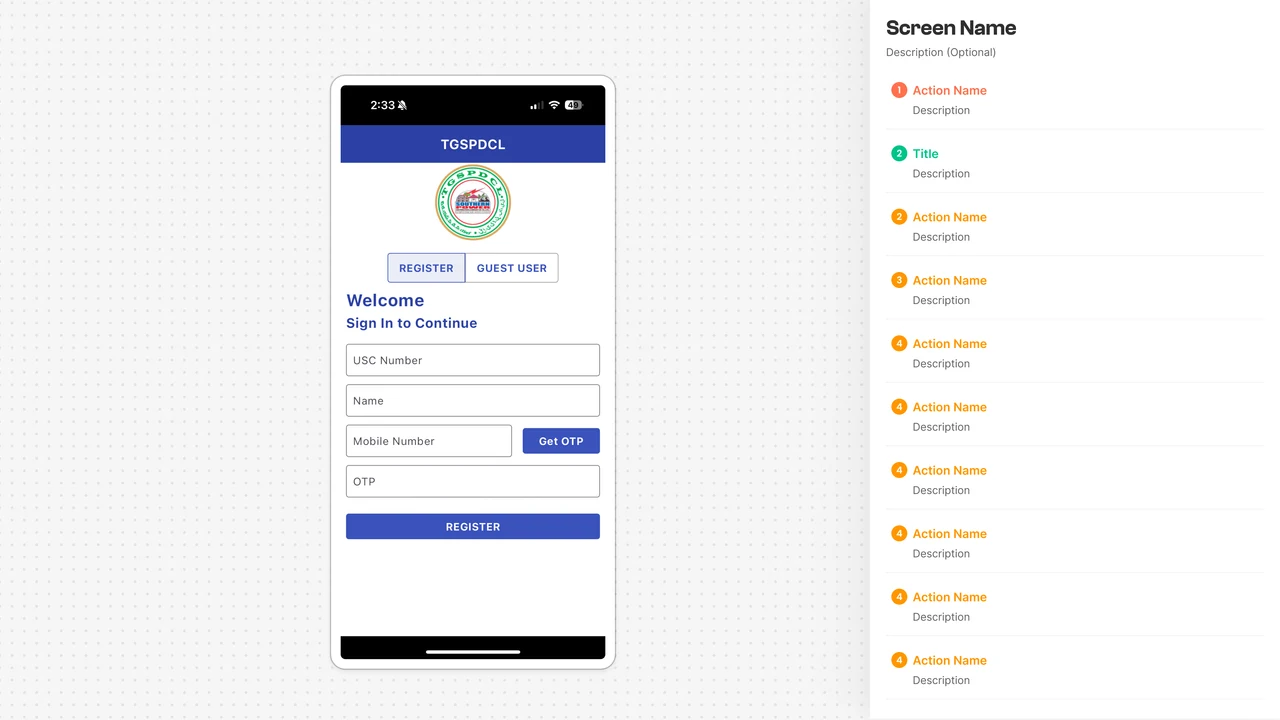
Pick the first screen of the selected flow and place it inside the audit template.
Place the First Screen in the Template.
Pick the first screen of the selected flow and place it inside the audit template.
Give the Flow a Clear Name.
If you are auditing the login flow, mention the exact user type.
Example:
Login Flow — Registered User
This avoids confusion when the same product has similar flows for different users.


Give the Flow a Clear Name.
If you are auditing the login flow, mention the exact user type.
Example:
Login Flow — Registered User
This avoids confusion when the same product has similar flows for different users.